
Solution
Paid social for an online store is more complex and involves more tasks than an average project. Running an e-commerce project first of all requires connecting Commerce Manager to the site's product feed, so that Ads Manager knows exactly what a visitor viewed and when, what they added to the cart, bought, or simply browsed.
Setting up paid social for e-commerce starts with debugging the feed. There can be plenty of problems at this stage, especially if the site runs on a custom-built or niche platform that Facebook has no ready-made integration for, which usually means code changes on the site.
We ran into these problems at the start as well. The site has more than 3,000 products. One issue was incorrect product ID tracking: the View Content event did not fire, which made dynamic remarketing impossible. After fixing that, along with errors in tracking the Add Payment Info event, we launched paid social for the e-commerce project.
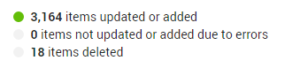
Below is a screenshot for a $2,000 budget. As you can see, the main optimization event is Add to cart. This can improve optimization when the number of purchase events (Purchase) is below 50 per week. The Purchase event was also used as a primary event. Don't forget to set event priority in Data Sources.
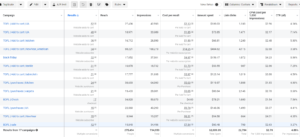
We advertised the highest-margin products, whose price headroom could cover the ad spend.
The creative format that performed best was a carousel featuring discounts.
Some of the creatives are shown below.


Special offers deserve extra focus. Black Friday, New Year and Christmas sales, St. Nicholas Day and other holidays are great for targeted sales of specific products. They also let you personalize the offer and make it more distinctive.
Some of the creatives are shown below.


Template examples are below. Any banner can be edited — swap the text or photo and put it to work.
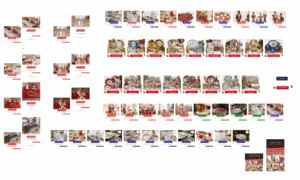
Some of the creatives are shown below.


The next important stage of e-commerce marketing is analytics.
Knowing which ads perform better, which banner drove a sale, for how much, and which products were bought.
For this we use Google Analytics e-commerce tracking. It shows, for any period, how many sales there were, where they came from and their total value.
For example, the screenshot below shows sales from Facebook ads, specifically from the feed. The system tracks the order number, product and amount. Remember to add dynamic UTM parameters to the ad itself so that everything is attributed correctly.
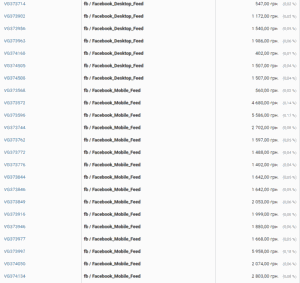
This set of work makes it possible to measure ad investment and return precisely.
Knowing the number and source of sales helps you draw the right conclusions and scale the channel that brings in the most revenue.
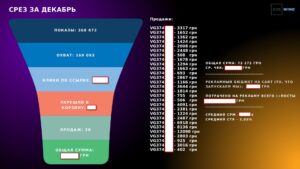
Below is one of the reports for this project, showing specific paid orders from our ad campaigns.
If you need sales for your online store, want to know which channels they come from and run profitable ad campaigns, leave a request below.




What happens next
- 1A call within one working dayA marketer clarifies your niche, goals and budget.
- 2A free auditWe review your ad accounts, website and competitors.
- 3A launch planYou get a strategy with a forecast cost per lead.
Clients from 30+ countries, including the US and Europe